The short answer
Pick MP4 when you do not know where the video will be played: phones, Apple devices, presentation apps and most upload forms take it. WebM plays in Chrome, Edge and Firefox and is what browsers record natively, so it is fine for someone who will watch it in a browser. Either can be converted later with free tools.
On a phone? The ClarShot steps below are for a computer: ClarShot runs in Chrome and Edge on Windows, Mac, Linux and ChromeOS.
What the difference is
WebM and MP4 are two kinds of video file. What matters is where the video will be played.
| WebM | MP4 | |
|---|---|---|
| Plays well in | Chrome, Edge, Firefox and many video players | Almost everything: phones, Apple devices, presentation apps, editors, upload forms |
| Pick it when | The person will watch it in a browser | You are not sure where it will be played |
Technical details
Both are containers: the box that holds the video and the sound. WebM holds VP8, VP9 or AV1 video with Opus or Vorbis sound; it is an open, royalty-free format started by Google. MP4 usually holds H.264 video (also H.265 or AV1) with AAC sound; it is an international standard, MPEG-4 Part 14.
Browsers have recorded WebM natively for years, which is why browser-based recorders offer it first. Recording MP4 directly in the browser is newer and depends on the device.
Which one to pick
- MP4 when you do not know where the video will be played, when it goes into a presentation or a video editor, when someone will watch it on an iPhone, or when a site asks for MP4.
- WebM when the person will watch it in Chrome, Edge or Firefox, for example a teammate opening it from a ticket or a shared drive.
File size depends far more on the length, the resolution and how much moves on screen than on the format. A few minutes of a mostly still screen is small in either.
How to convert WebM to MP4
You do not have to record again. Free tools convert on your own computer:
- VLC media player: Media, Convert / Save, add the file, then choose a profile such as Video - H.264 + MP3 (MP4).
- HandBrake: open the WebM file, keep the MP4 format and a preset such as Fast 1080p30, and start.
- ffmpeg, for the command line:
ffmpeg -i recording.webm -c:v libx264 -c:a aac recording.mp4
Be careful with converter websites: they upload your recording to someone else's server. For a recording of your screen, which may show messages, customers or passwords, a tool on your own computer is the safer choice.
In ClarShot
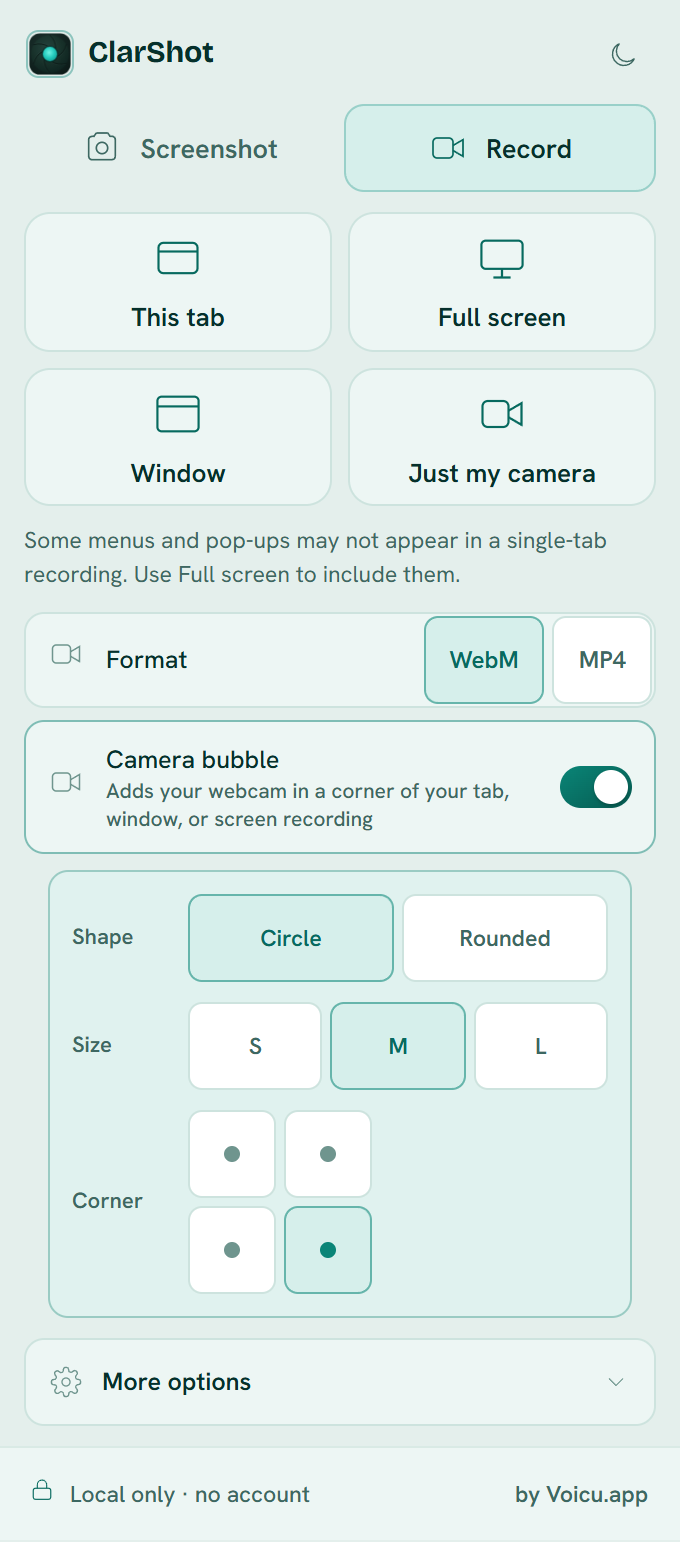
The Record tab has a Format choice right under the recording modes: WebM or MP4. WebM is the default. If you are not sure where the video will be played, switch Format to MP4 before you press Record, when it is offered.
ClarShot's WebM files carry their duration, so players show how long they are and can jump to any point. Some browser-made WebM files do not, and then a player shows no length and cannot skip ahead.
The file is saved to your Downloads folder, with no watermark and no time limit, and it is never uploaded. The screen recording guide covers the rest of the Record tab.
Common questions
Is WebM lower quality than MP4?
No. Quality depends on the codec and the bitrate, not on the container. A screen recording looks the same in either when both are made at similar settings.
Why does my WebM not play in some apps?
Some devices and apps do not open WebM. Convert it to MP4 with one of the tools above, or record in MP4 next time.
Can I rename .webm to .mp4?
No. The name changes but the video inside does not, and many players will refuse the file or play it wrong. Convert it instead.
Vivaldi, Arc and most other browsers are built on Chrome, so the Chrome version works there too.
Add to ChromeClarShot works in Chrome and Edge on a computer, not on phones. Send yourself the link and open it there.
Related guides
- How to record your screen with no watermark or time limitRecord a tab, a window or your whole screen with your voice, for free: the tools built into Windows and macOS, and how to do it from the browser.
- How to write a bug report with screenshots and a recordingA bug report developers can act on: a clear title, the steps, what you expected, and screenshots or a short recording. With a template you can copy.